 Sort Them All
Support
Found a problem or stuck on something? Email us and include your device, the iOS version and the level number if it is about a level.
Playing
How do I play?
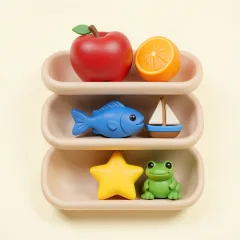
Each board hides a few themes. Drag or tap the cards that share a theme into the row at the bottom. When the row is full it is checked. Clear every row to finish the level. To see the tutorial again, open Settings in the game and tap How to Play.
I'm stuck on a level.
Tap Hint to place one correct card. You get 3 free hints a day (5 with Sort Them All Plus), and they come back at midnight UTC. Finishing every Daily Challenge in a week earns bonus hints. Undo and Shuffle are on every level too, and the next level stays open, so one hard board never blocks you.
How do I get more hints?
Wait for tomorrow's free hints, finish the week's Daily Challenges, buy a hint pack, or tap "Watch a Video for 1 Hint" when it is offered. Videos only play when you tap that button, and there is a daily limit.
Where is my progress saved?
Only on your device. There is no account, so progress does not move between devices, and deleting the app deletes it.
Can I turn off sound, vibration or reminders?
Yes, all three are in Settings inside the game. Reminders can also be turned off in iOS Settings under Notifications.
Game Center
Leaderboards and achievements need you to be signed in to Game Center in iOS Settings. The game works the same without it.
Purchases
What is Sort Them All Plus?
A one-time purchase, not a subscription. It opens every theme, gives unlimited undo and shuffle and raises your free hints to 5 a day. The price is shown in the game and on the App Store.
I bought Plus, but it is not showing.
Open Settings in the game and tap Restore Purchases, signed in with the same Apple Account you bought it with. This also brings Plus to a new iPhone or iPad.
Hint packs
Hints you buy are added to your hint count on that device. Like the rest of your progress they are stored on the device, so they cannot be restored after you delete the app.
Refunds
Apple handles all payments, so refunds are requested from Apple at reportaproblem.apple.com. We cannot see or change your payment.
Ads and privacy
How do I change my ad privacy choice?
Where the law gives you that choice, open Settings in the game and tap Ad Privacy Choices. The privacy policy explains what Google AdMob may collect when it provides reward videos.
Contact
Email game@sortthemall.com for support, purchases or privacy.